
A WP Rocket Review matters when slow pages threaten conversions, but caching tools can introduce new technical risks.
Price, setup difficulty, and file conflicts can turn a speed fix into a costly troubleshooting task.
WP Rocket addresses that concern as a paid WordPress caching plugin built to improve website loading speed.
WP Media launched it in July 2013, and its reported use across 5,520,000 websites adds meaningful credibility.
At a Glance
- Product: WP Rocket
- Best For: WordPress owners seeking easier speed optimisation
- Not Best For: Multisite networks needing central activation
- Key Strength: Automatic caching with practical optimisation controls
- Key Limitation: File settings may cause display conflicts
- Pricing: US$59–US$299 per year; 1–50 websites
- Rating: ⭐⭐⭐⭐⭐ (4.6/5) based on 2,957 verified reviews on Trustpilot.
- Bottom Line: WP Rocket is a website speed optimisation plugin that combines caching, file controls, media optimisation, and page monitoring. However, advanced settings can create display or loading issues, so careful testing remains the main trade-off.
✅✅✅✅✅ Explore WP Rocket
WP Rocket Review: Key Features Explained
WP Rocket features cover the main areas that affect WordPress loading speed, from cached page delivery to file and media optimisation. Its strongest appeal is that many core settings work automatically, while deeper controls remain available when a site needs more tuning.
Automatic Performance Optimisation
Automatic optimisation gives buyers a working starting point without requiring them to configure every performance setting first. Activation applies 80% of WP Rocket’s stated web-performance best practices immediately.
That default setup reduces the number of early decisions a beginner must make. You can then focus on settings that relate to your site rather than building the entire configuration from scratch.
The practical benefit is faster deployment for owners who want a WordPress performance tool without a long setup process. It also lowers the risk of overlooking basic caching or delivery settings during installation.
Advanced controls remain available after the automatic setup. That makes the feature useful for buyers who want a working baseline before adjusting individual options.
Page Caching and Cache Preloading
Page caching creates static HTML files so WordPress pages can be delivered without rebuilding the same content for every visit. That function sits at the centre of the plugin’s value because it directly changes how pages are served.
When you update a page, the related cache clears automatically. Cache preloading then creates fresh cached versions after activation or relevant cache clearing.
The plugin can also detect sitemaps created by supported WordPress SEO plugins for sitemap-based preloading. This gives the caching and optimisation solution a defined route for rebuilding important pages.
For buyers, the main advantage is less manual cache management after routine content changes. Sites updated often receive the clearest workflow benefit because cache clearing and rebuilding are tied to those changes.
CSS and JavaScript Optimisation
CSS and JavaScript controls help reduce or delay files that can slow visible page content and browser interaction. Buyers can use minification, file combination, CSS-delivery optimisation, deferred JavaScript, and delayed JavaScript execution.
These options place several common front-end adjustments inside one plugin. They are especially relevant when a site owner needs more control over when front-end files load.
Buyers exploring WP Rocket Core Web Vitals improvements should look beyond basic page caching. File delivery settings give site owners a way to address layout and interaction problems tied to CSS or JavaScript loading.
The trade-off is substantial enough to consider before enabling everything at once. File optimisation can cause missing images, display problems, or flashes of unstyled content. Exclusions and individual setting tests may therefore be required.
Media and Rendering Optimisation
Media optimisation reduces the initial work created by images, videos, iframes, and elements outside the visible screen. Critical Image Optimisation detects the Largest Contentful Paint element and above-the-fold images, then excludes them from LazyLoad.
LazyLoad can defer other images, CSS background images, videos, and iframes until needed. Automatic Lazy Rendering also limits initial rendering to elements currently visible to the visitor.
Together, these controls prioritise content that affects the first screen while postponing less urgent work. LazyLoad can still cause missing images or display problems and may require exclusions.
eCommerce Optimisation
eCommerce optimisation applies caching while protecting sensitive purchasing pages from being cached. WP Rocket for WooCommerce is therefore relevant to stores that need speed improvements without treating checkout-related pages like ordinary content.
The plugin excludes identified sensitive store pages from the cache. That keeps its caching logic focused on pages where static delivery is appropriate.
Store owners gain a simpler path to using page caching around a purchasing workflow. The strongest fit is a WooCommerce site that needs cache controls alongside protected purchasing pages.

Rocket Insights
Rocket Insights monitors selected pages and identifies factors affecting performance. It recommends relevant WP Rocket settings and lets the user retest those pages.
The feature connects detected issues with actions available inside the plugin. Buyers can review a page, apply a suggested setting, and run another test rather than relying only on a one-time report.
This adds guided monitoring to the main caching toolkit. Rocket Insights is included with the verified Single, Plus, and Multi plans.
Additional Features
Browser caching: local resource storage; GZIP compression: smaller server-delivered files; Database tools: scheduled cleanup and table optimisation. RocketCDN free tier: three key pages, ten edge locations, no stated bandwidth limit; Add-ons: one-click Varnish Cache, Cloudflare, and Sucuri controls.
What Sets WP Rocket Apart
WP Rocket leads LiteSpeed Cache on beginner setup and the Core Web Vitals performance score recorded in WPBeginner’s comparison. Its automatic starting configuration and included company support create a clearer path for buyers who prefer guided setup.
LiteSpeed Cache still led on overall page-load time in the same test and uses a free pricing model. Speed Kit is another WP Rocket alternative. G2 comparison data describes easier setup and business dealings for Speed Kit, while WP Rocket leads on price.
✅✅✅✅✅ Try these WP Rocket features risk-free
WP Rocket Strengths and Weaknesses
WP Rocket combines easier initial setup with detailed speed controls, but advanced optimisation can create troubleshooting work. Its strengths suit buyers who value guided configuration, while its limitations matter most on complex WordPress setups.
Pros:
- Automatic performance settings included
- Static page caching
- Automatic cache preloading
- Broad file optimisation controls
- WooCommerce cache exclusions
- Guided page performance monitoring
Cons:
- No free trial
- Annual licence renewal
- Possible file display conflicts
- No Multisite network activation
Installation and Activation
Download the premium ZIP archive from your WP Rocket account area or purchase email before opening the WordPress dashboard. Use the manual upload flow rather than searching the free plugin repository.
Plugins > Add New > Upload Plugin
Choose the ZIP file, install it, and activate the plugin. After activation, enter a valid licence key to unlock updates, support, and premium functionalities.
Is It Right for You?
WP Rocket fits buyers who want a paid WordPress caching plugin with automatic setup and deeper controls in one interface. It becomes less suitable when your budget, network structure, or tolerance for troubleshooting conflicts with its annual licence and configuration demands.
Who Should Buy It?
Buyers managing one to 50 WordPress websites can match the verified Single, Plus, or Multi licence limits. It suits site owners who want automatic caching, cache preloading, media controls, file optimisation, and guided page monitoring. They avoid building the entire setup manually.
WooCommerce store owners may benefit from sensitive purchasing pages being excluded from cache. Users with active licences also receive human support and access to the searchable documentation base.
Who Should Skip It?
Skip it when you need a free caching plugin, a lifetime licence, or network-wide activation for WP Rocket for WordPress Multisite. It must be activated separately on each sub-site, and WordPress.com users need a Business or eCommerce plan.
The plugin may also be a poor fit when you cannot test file and LazyLoad settings after changes. Those controls can cause missing images, display problems, or flashes of unstyled content.
What Real Users Say
Verified user feedback reflects the same trade-off seen in the feature set: stronger performance and easier controls can come with configuration risks. Trustpilot and G2 users generally value the results, though their complaints show that setup problems are not rare.
Trustpilot is the stronger verified rating source, with 4.6/5 based on 2,957 reviews. Recurring praise focuses on faster website performance, improved user experience, and responsive, knowledgeable support.
Trustpilot complaints describe cases where the plugin broke site elements or made loading speed worse. Some users also found the configuration too technical or felt support relied too heavily on documentation.
G2 feedback highlights ease of use, manageable caching controls, and a broad selection of optimisation options. These points support its fit for buyers who want deeper controls without starting from a blank configuration.
The clearest G2 limitation concerns script management. That issue matters most on sites with complex JavaScript that need careful control over delayed or excluded files.
WP Rocket Pricing and Plans
WP Rocket uses annual pricing based mainly on how many websites your licence covers. Every verified priced plan includes product updates, support, and Rocket Insights, so site allowance is the key buying difference.
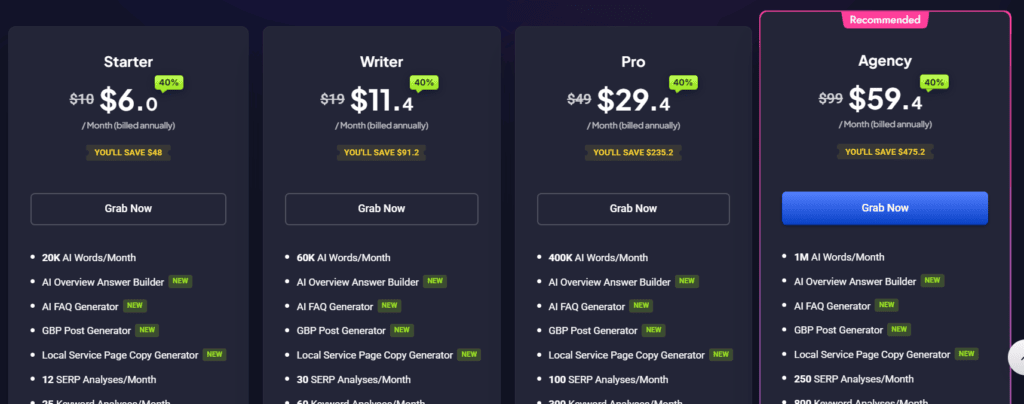
Single (US$59 per year): Covers one website. It suits an individual site owner needing the full verified feature set without paying for unused licences.
Plus (US$119 per year): Covers three websites. It fits buyers managing a small portfolio who want one licence for several WordPress installations.
Multi (US$299 per year): Covers 50 websites and is aimed at larger site portfolios. The pricing page also displays 100-site and 500-site selections, but their prices were not captured.
Custom licensing is available for owners managing more than 500 websites. All licences remain valid for 12 months and renew automatically unless auto-renewal is disabled in the account Billing section.
There is no free trial, free plan, or lifetime licence. RocketCDN is a separate paid option costing US$7.99 per month per website, beyond the plugin’s limited free CDN tier.
✅✅✅✅✅ See current WP Rocket pricing and plans
So, Is It Good Value for Money?
WP Rocket offers the clearest value when automatic setup and several optimisation controls save you from managing separate caching tasks manually. The annual cost is easier to justify when performance work affects several important pages or websites.
Value becomes weaker when you only need basic caching or cannot test advanced settings after activation. Buyers who require free software or a lifetime licence should consider another option.
Refund Policy
WP Rocket provides a short refund window instead of a free trial. Buyers have 14 days from the original purchase date to request a refund.
The same 14-day period applies to product upgrades and annual renewals. The approved evidence does not establish any longer eligibility period.
That window gives you limited reassurance before committing to a full annual licence.
Customer Support
WP Rocket provides both human help and self-service guidance, but human support requires an active licence. Buyers can submit a ticket at any time through the plugin’s Support tab, while the support team operates daily across multiple time zones.
The knowledge base covers caching, file optimisation, media, preload, databases, compatibility, troubleshooting, and licensing. Current response times are higher than usual, and support offers troubleshooting guidance rather than a complete website optimisation service.
What’s New in WP Rocket?
A recent update adds an OAuth connection between WP Rocket MCP and Claude. It also creates an automatic backup of plugin options during each plugin update, preserving a copy of the configuration during maintenance.
Partner access to the RocketCDN free tier was added as well. These changes extend connected workflows, protect saved settings, and broaden access to the limited CDN option.
Integrations and Compatibility
WP Rocket connects with Amazon CloudFront, MaxCDN, and KeyCDN, while dedicated add-ons support Cloudflare, Varnish Cache, and Sucuri. WooCommerce compatibility includes cache exclusions for sensitive purchasing pages.
Supported server environments include Apache, NGINX, LiteSpeed, and Windows, and WP Rocket states compatibility with 99% of hosting companies. WordPress.com requires a Business or eCommerce plan, while Multisite requires separate activation on each sub-site.
Frequently Asked Questions
Is WP Rocket worth the cost?
WP Rocket is easiest to justify when you want automatic caching, file controls, media optimisation, and page monitoring. Those features come in one paid plugin. It includes a 14-day refund period, but no free trial.
Is WP Rocket paid?
Yes, WP Rocket uses annual paid licences. They start at US$59 per year for one website and reach US$299 per year for 50 websites. No free or lifetime licence is verified.
Do I need WP Rocket?
You may need it when you want automatic caching and several optimisation controls without building the full setup manually. Skip it if you need free software, a lifetime licence, or network-wide Multisite activation.
How many websites can I use WP Rocket on?
The Single licence covers one website, Plus covers three, and Multi covers 50 websites. Additional 100-site and 500-site selections are displayed, while custom licensing is available above 500 websites.
Does WP Rocket work with WooCommerce?
Yes. WP Rocket supports WooCommerce and excludes sensitive purchasing pages from the cache. Store owners can apply caching without treating checkout-related pages like ordinary content.
Does WP Rocket support WordPress Multisite?
WP Rocket works on WordPress Multisite, but it cannot be network-activated. You must activate it separately on each sub-site, which adds work for larger networks.
Final Review Verdict: Is WP Rocket Worth It?
WP Rocket is not a perfect fit for every WordPress setup. Its annual fee, Multisite limits, and possible file conflicts can outweigh the convenience for some buyers.
This WP Rocket Review finds the strongest fit among site owners who value automatic caching and guided optimisation. For those users, the setup savings and broad controls justify the trade-offs.
Choose it when slow pages are holding back a WordPress site and manual tuning feels too demanding. Its feature mix and refund window make WP Rocket worth a closer look without forcing a long commitment.